React Redux overview with Redux Toolkit
Problem or issues
- Props drilling to solve simple state management
- nested component e props passing
- redudant props carriying
Workaround
- Context API
-
Rdux
What is Redux?
Redux is a flexible State Container for JavaScript Apps that manages our application state
Separately.
- State Container (Store)
- For JavaScript JavaScript Apps
- manages state Separately
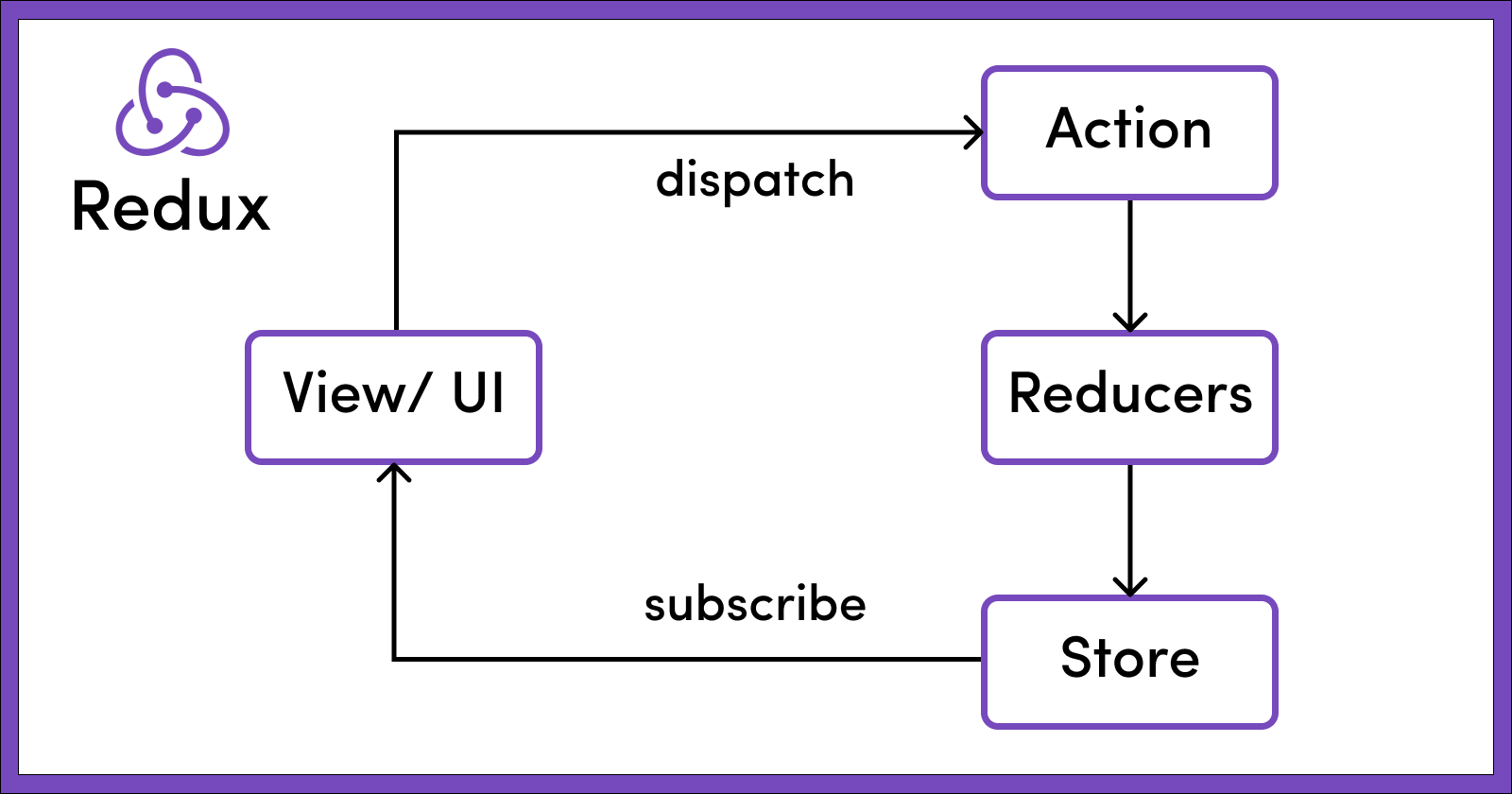
How Redux Store Works?
Different Redux Component (Terminologies)
Action -> Dispatch (Action dispatch) -> to occur an action
i.e -> Clicking a button, or any type of action taken by user
Reducer -> the function that is called after any action dispatch
There is corresponding reducer function for any action dispatch
JavaScript
  reducer ( state, action){
    return newState;
  }
Subscribed -> components Subscribed to redux store
All the Subscribed components will get the newState returned by the reducer function
Redux vs Redux Toolkit
Redux is the vanilla thing, and Toolkit is a readymade kinda thing.
Working with code (setup)
bash
npm install @reduxjs/toolkit react-redux
react-redux: to work with react (different from library to library/framework)
How to think and work
- Think and work
featurewise. For instance, to-do feature, counter feature, cart fearture
Convention
- Everytime there is a new feature in the application, add a
featurein the redux - create a folder named
featuresinside the src folder - put the individual feature folder inside the features folder, for example
features/counters - create a
counters/counterSlice.jsfile -> Slice (think like slize of pizza)- slice : pizza <--> feature : application
Slice
countersSlice.js
js
  import {createSlice} from "@reduxjs/toolkit"

  const initialState = [...]

  const countersSlice = createSlice({
    name: "counters" //convention: give the name as same as the folder
    initialState: initialState,

    // NOTE: Though there is only ONE reducer in the entire redux store
    // We're using plural because there will be various fucntion based on the action, however these will be converted into a single function
    reducers: {
      increment: (state, action) => {
        // we can mutate inside these reducer function, don't even need to return anything
      },

      decrement: (state, action) => {

      }
      .
      .
      .
    }
  })

  export default countersSlice.reducer; // NOTICE it's singular 'reducer'
  export const {increment, decrement} = countersSlice.actions; // NOTICE, it's plural 'actions'

  // Deafult export reducer
  // named export actions: action name are the similar as partial reducer function name. i.e increment, decrement
Further Terminologies:
action.payload
Store
ONLY ONE store for the entire application (create it inside the src folder). It only requires it's reducer
store.js
js
import {configureStore} from "@reduxjs/toolkit";
import countersReducer from "../features/counters/countersSlice.js";

const store = configureStore({

  reducer: {
    counters: countersReducer,
    videos: videosReducer,
    toDos: toDoReducer,
    .
    .
    .
    etc ...
  }
})

export default store;
Connecting Redux setup with React (Binding part)
Using Provider from react-redux
Wrap the <App /> component with Provider along with store property.
in the main.jsx file
htm
...

<Provider store={store}>
  <App />
<Provider />
Component subscribing to Redux store : (using hook)
useSelectorhook from react-redux- it takes a callback function
js
const counters = useSelector((state)=> state.counters); // from the redux store

// state.counters store all the counters state
Action dispatch (using another hook)
useDispatchhook from react-redux- we will use the named exported actions from slice (i.e increment, decrement)
- these are action creator
- action creator takes only ONE parameter (which is recieved as action.payload)
use case:
js
const dispatch = useDispatch();

const handleIncrement = (counterId) => {
  dispatch(increment(counterId))
}
More explore:
- Caching
- Data fetching
Asynchronous (Redux Thunk)
Learn more
- uses a middleware between action dispatch and reducer
- interceptor
- middleware will produce the action then pass it to the reducer
- everything inside the reducer is synchronous
- uses
extraReducers()function